
Category
Account
Funding & Stock Transfer
- Deposit Transfer Guide (General)
- Withdrawal
- Stock Transfer
- Currency exchange
Trading in HK market
Trading in A-share market
Trading in US market
Trading in JP market
US Options Trading
Futures Trading
Bond Trading
Mutual Fund
Equities Margin
Fee Schedule
Corporate Action
Open API
Promotion
App Features
Company & Contact Us
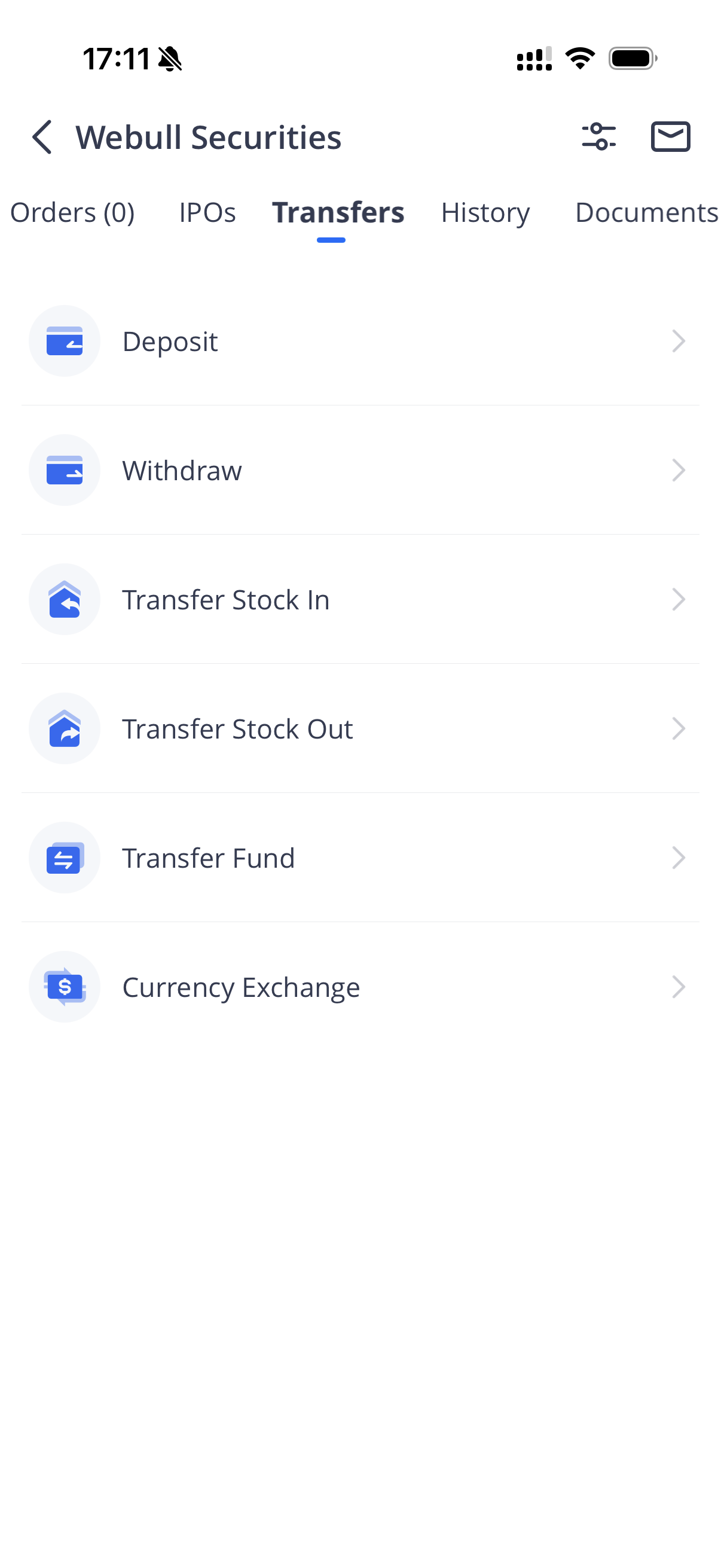
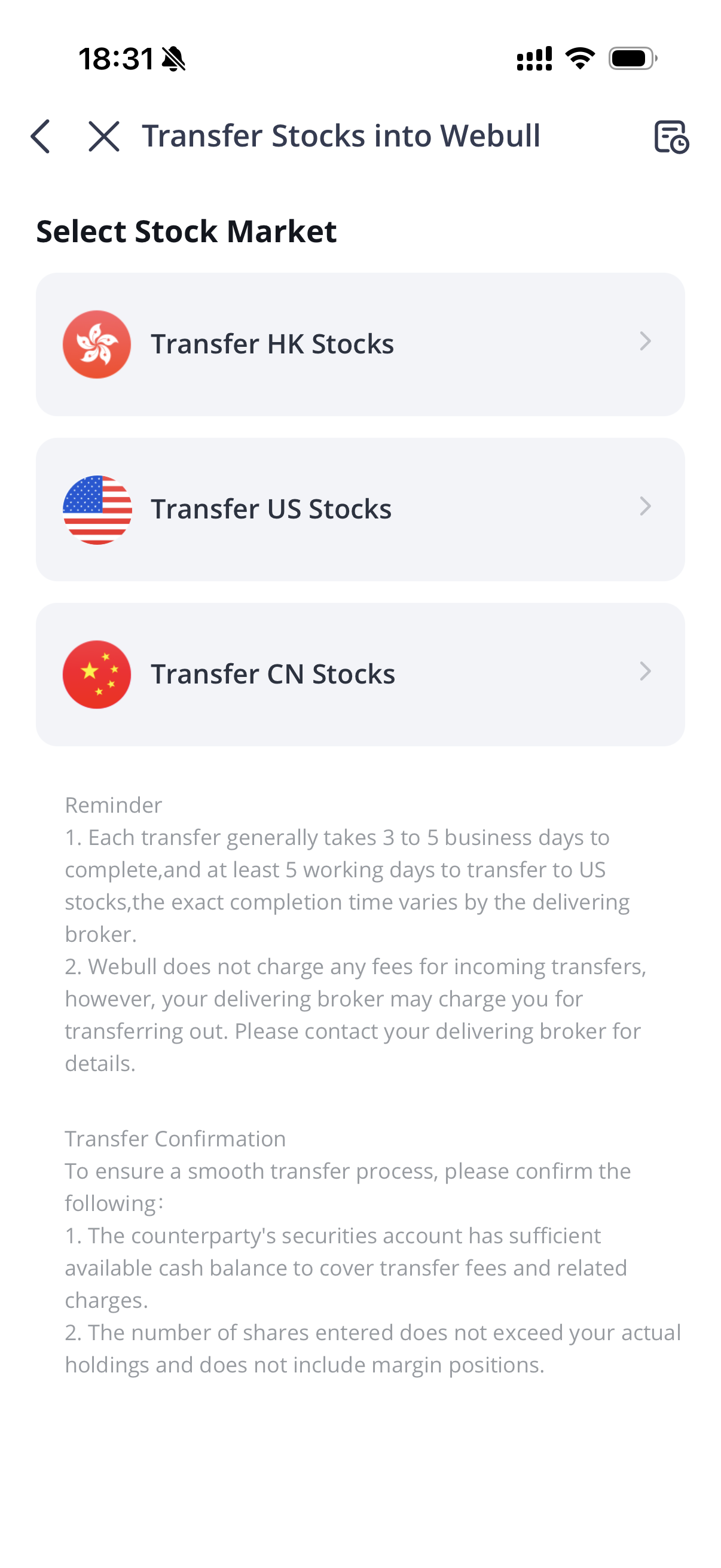
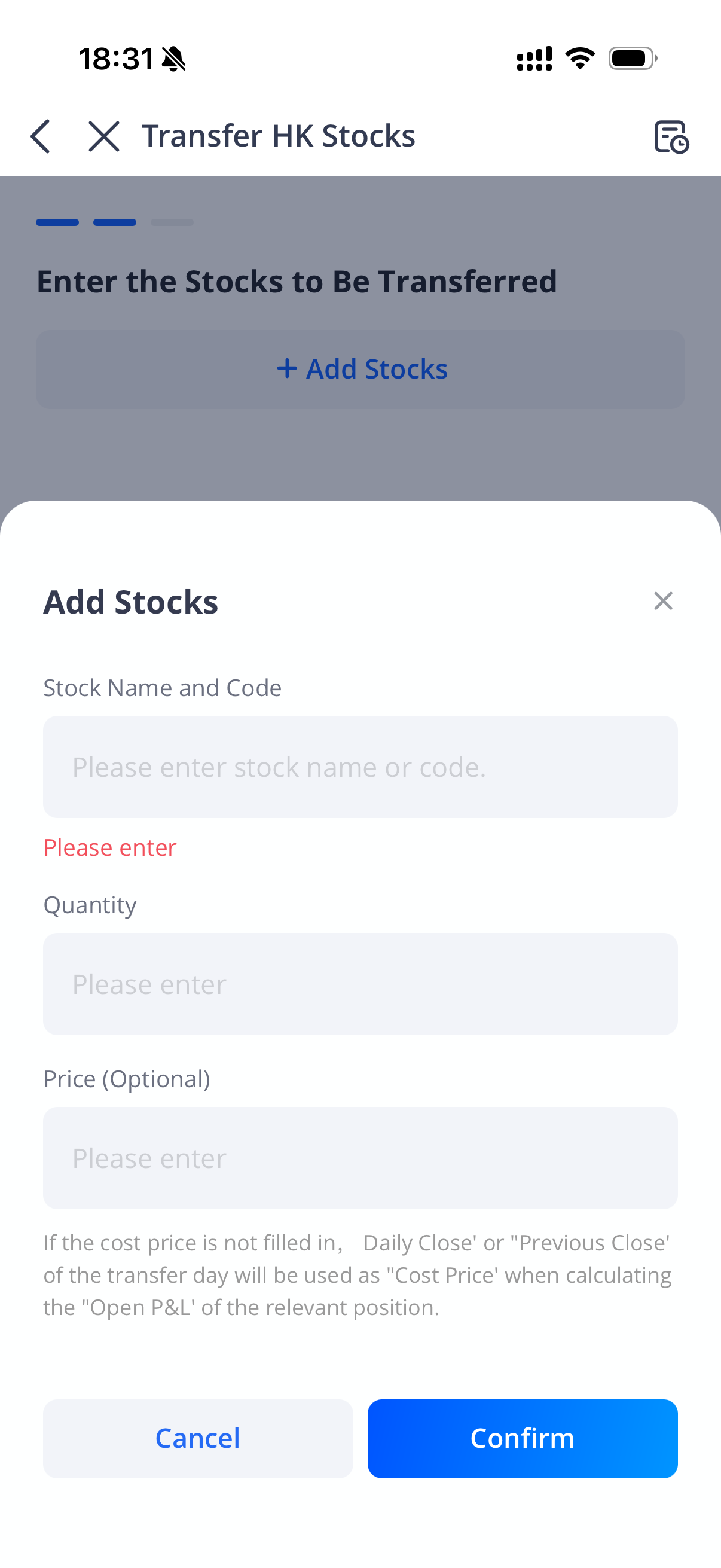
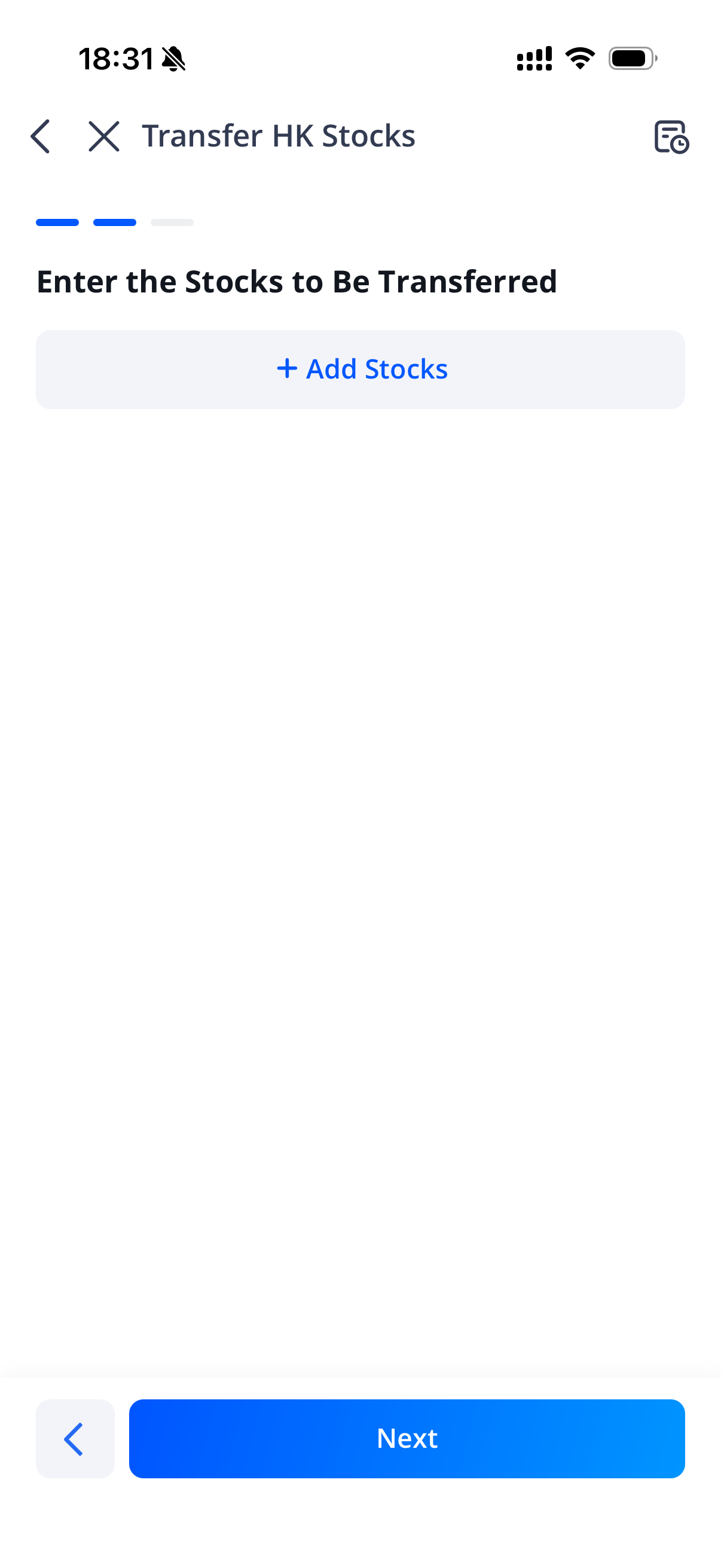
Stock Transfer-In Guide (General)
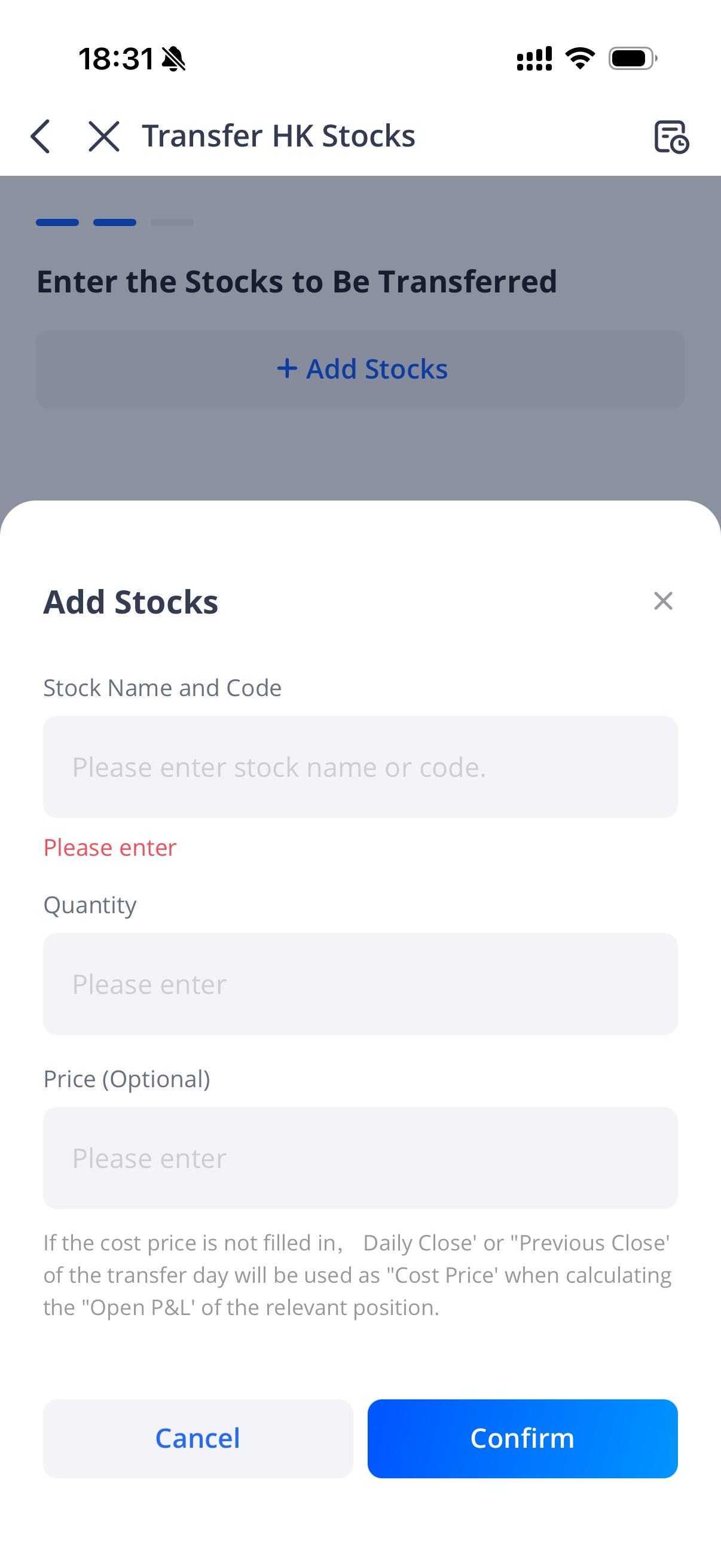
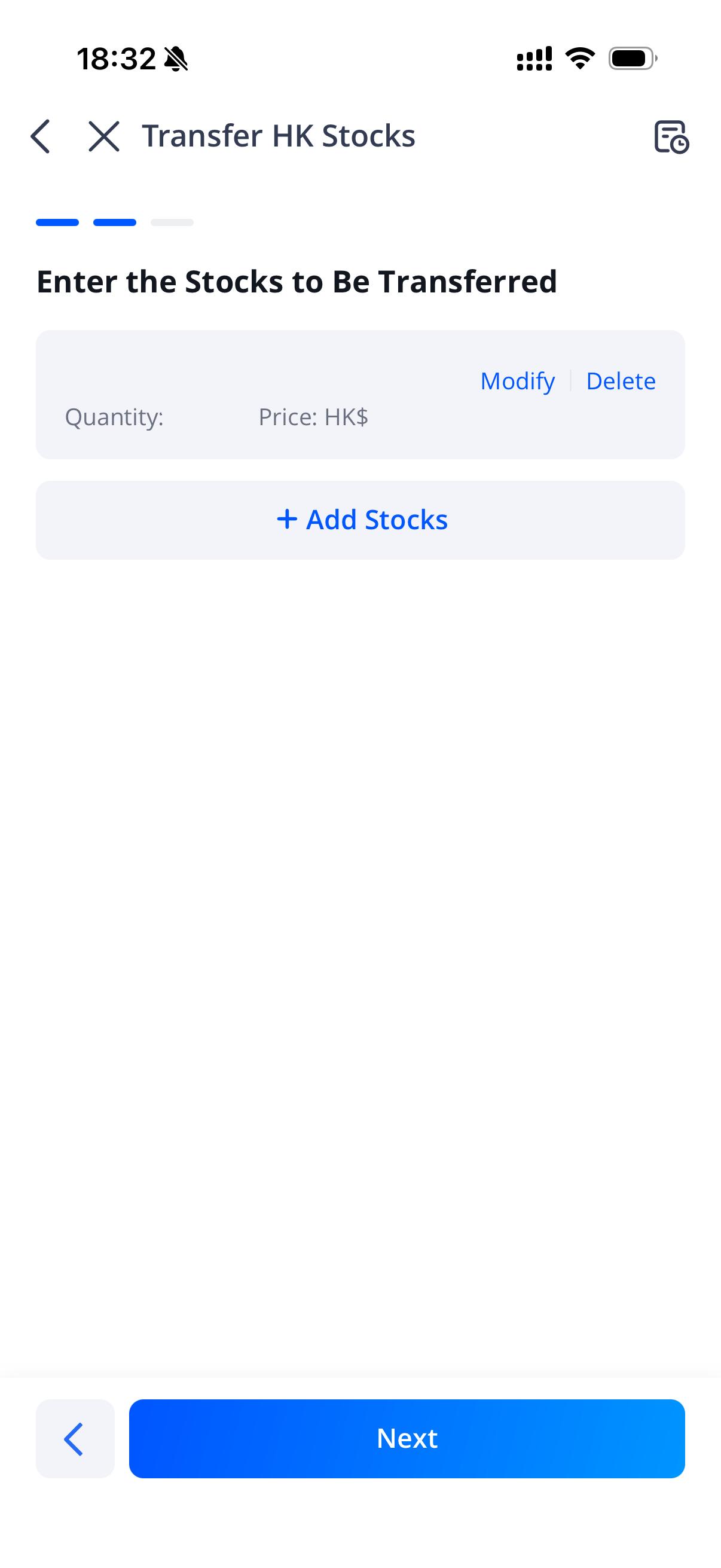
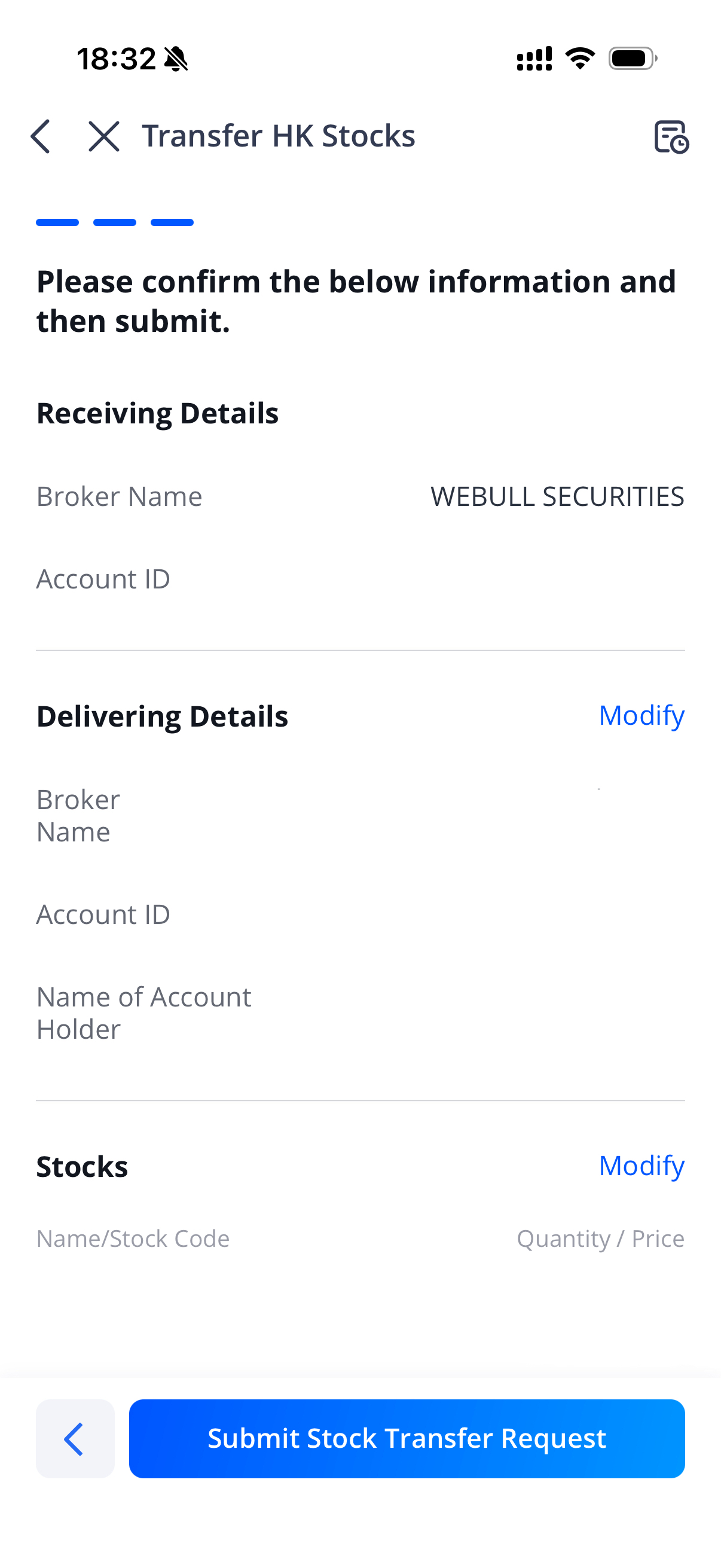
Was this helpful?
Yes
No
Contact Us
Contact Number :+852 3852 8500Monday 7:00 AM - Saturday 9:00 AM (HKT)
Service Email :service@webull.hkOnline Support: Monday - Friday: 9:00 - 16:00; 22:30 - 5:00 (HKT)
Business Cooperation :marketinghk@webull.hkRisk Disclosure: The content of this page is not an investment advice and does not constitute any offer or solicitation to offer or recommendation of any investment product. It is for general purposes only and does not take into account your individual needs, investment objectives and specific financial circumstances. All investments involve risk and the past performance of securities, or financial products does not guarantee future results or returns. Keep in mind that while diversification may help spread risk it does not assure a profit, or protect against loss, in a down market. There is always the potential of losing money when you invest in securities, or other financial products. Investors should consider their investment objectives and risks carefully before investing. For more details, please refer to risk disclosure.
Webull Securities Limited is licensed with the Securities and Futures Commission of Hong Kong (CE No. BNG700) for carrying out Type 1 License for Dealing in Securities, Type 2 License for Dealing in Futures Contracts and Type 4 License for Advising on Securities.
Webull Securities Limited is licensed with the Securities and Futures Commission of Hong Kong (CE No. BNG700) for carrying out Type 1 License for Dealing in Securities, Type 2 License for Dealing in Futures Contracts and Type 4 License for Advising on Securities.
Language

English
©2026 Webull Securities Limited. All rights reserved.